
Bed-leveling errors after installing FarmLoop
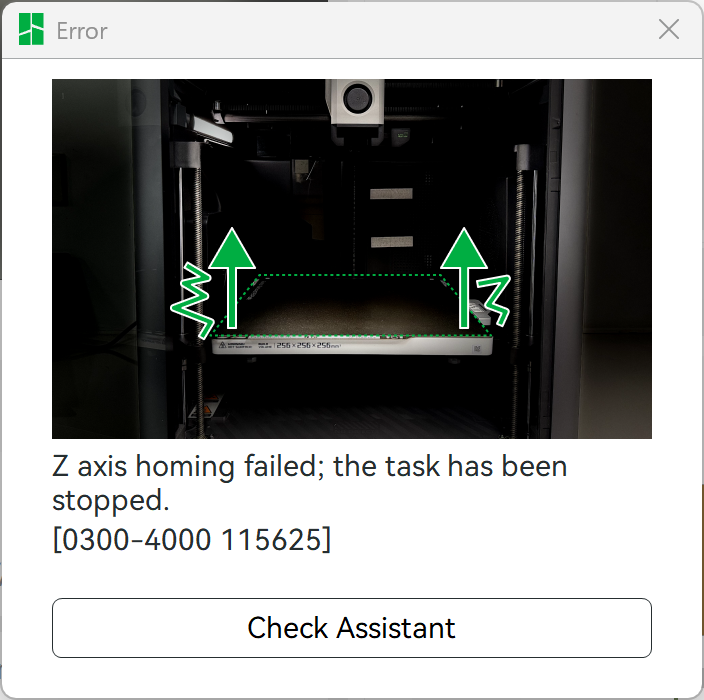
If your printer throws a bed leveling failed or Z homing failed error right after you install FarmLoop, the fix is almost always the same, the bender needs to be out of the way the first time the printer homes.
Why this happens
Section titled “Why this happens”The Bambu homing routine checks Z-axis travel and runs auto bed leveling across the plate. With the bender mounted, the nozzle can hit the bender module while trying to reach the corner, this triggers the error. Once the printer has successfully homed and stored its axis limits, you can reattach the bender and it works fine.
The fix
Section titled “The fix”- Remove the bender module from the printer.
- Run a manual home from the Bambu screen: Device → Axes → Home All.
- Once home completes successfully, run auto bed leveling once manually.
- Reinstall the bender per the assembly guide for your printer: A1 Mini, A1, or P/X series.
- Send a test print, homing should now succeed with the bender in place.
Other causes to rule out
Section titled “Other causes to rule out”If homing still fails after the steps above, the bender is usually not the culprit. Check:
Debris under the heated bed
Section titled “Debris under the heated bed”Small pieces of filament or a stray screw under the plate will offset the bed slightly and cause leveling to fail. Remove the plate, clean the surface it sits on, and replace.
Worn PEI sheet
Section titled “Worn PEI sheet”A residue-contaminated Bambu textured plate can cause inconsistent leveling readings. See Parts won’t detach → residue buildup.
Loose hinge bracket (P/X series)
Section titled “Loose hinge bracket (P/X series)”If the front-door hinge bracket (installed in step 5 of the P/X guide) is over-tightened or misaligned, it can skew the front edge of the bed. Loosen the two screws slightly, let the bracket settle, and re-tighten.
Loose tilted base (A-series)
Section titled “Loose tilted base (A-series)”For A1 Mini and A1, the printer has to sit tight on the tilted base. A wobble here will throw bed leveling off. See the A1 Mini or A1 “Add the printer” step.
If nothing works
Section titled “If nothing works”Send us:
- A photo of the error message on the printer screen
- A photo of your bender mounting
- Printer model and firmware version (printer’s native firmware, not FarmLoop’s)